External Audio Unit effects for your digital mixer
A four-chain FX rack that comes back ready
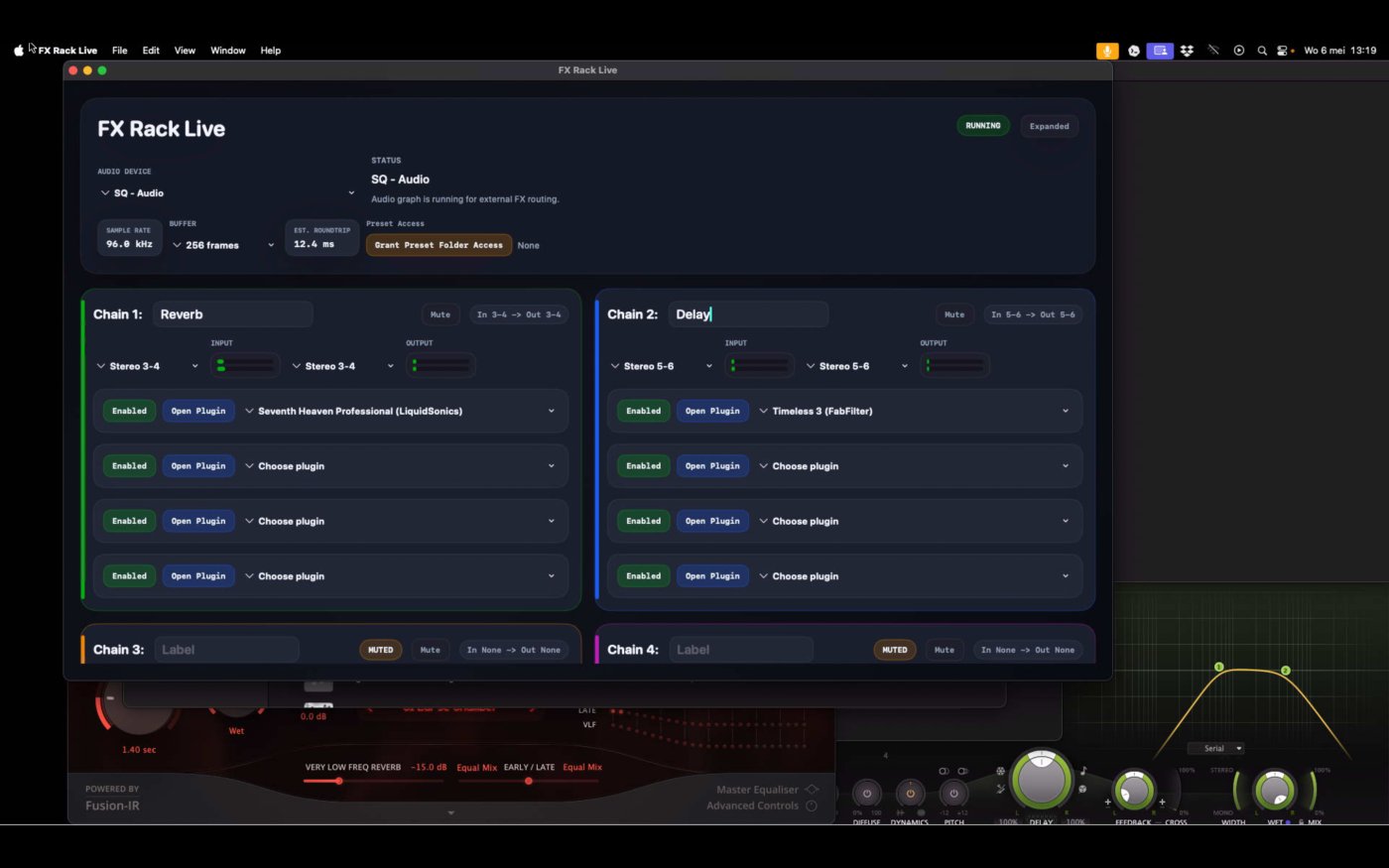
Turn your Mac into a focused four-chain FX rack that recalls its device, routing, plug-ins and tempo setup after relaunch.
Straightforward send and return routing
Use the Mac like external mixer hardware
Connect a multichannel Core Audio device, route a mixer send into a chain, process it with Audio Unit effects, and return the stereo output to your console.
Focused on repeatable live setups
Four reasons to leave the DAW out of your FX rack
Four independent send/return paths
Build clear chains such as Vocal Reverb, Drum Room, Delay Throw and Special FX, each with its own input, plug-ins and stereo return.
Restore the setup you selected
FX Rack Live remembers the audio device, routing, plug-ins and session. If the interface is missing, the rack waits instead of attaching to the wrong device.
One global tempo—or one per chain
Run one shared tempo across the rack or give any chain its own BPM. Tap it by hand or use MIDI Learn for a practical hardware tap button.
Made for a dedicated Mac mini
A compact fit for FOH, churches, small theatres and fixed installations where the same rack needs to return after relaunch.
Tempo control in FX Rack Live 1.1
Keep delays in time—globally or chain by chain
Set BPM manually, tap it in, or learn a MIDI note. FX Rack Live sends each chain’s effective tempo to compatible Audio Unit plug-ins.
One tempo across the rack
Use a single Global tempo when delays and other time-based effects should follow the same BPM.
An independent tempo per chain
Switch any chain to Local and give it a different BPM without changing the rest of the rack.
Tap by hand or from MIDI
Learn a MIDI Note-on as the tap source for the Global tempo or for an individual Local chain.
Pass the effective host tempo
Compatible Audio Units receive the tempo that applies to their chain, so synced delays can follow your live setup.
Version 1.1 note: MIDI Learn responds to Note-on taps. Incoming MIDI Clock, Start and Stop are not used.
Quick tour
See the SQ5 and Mac mini workflow
The current tutorial shows the complete send, USB routing, plug-in and return path. The video only connects to YouTube after you choose to play it.
Clean when the show starts
Hide unused slots and keep the active rack in view
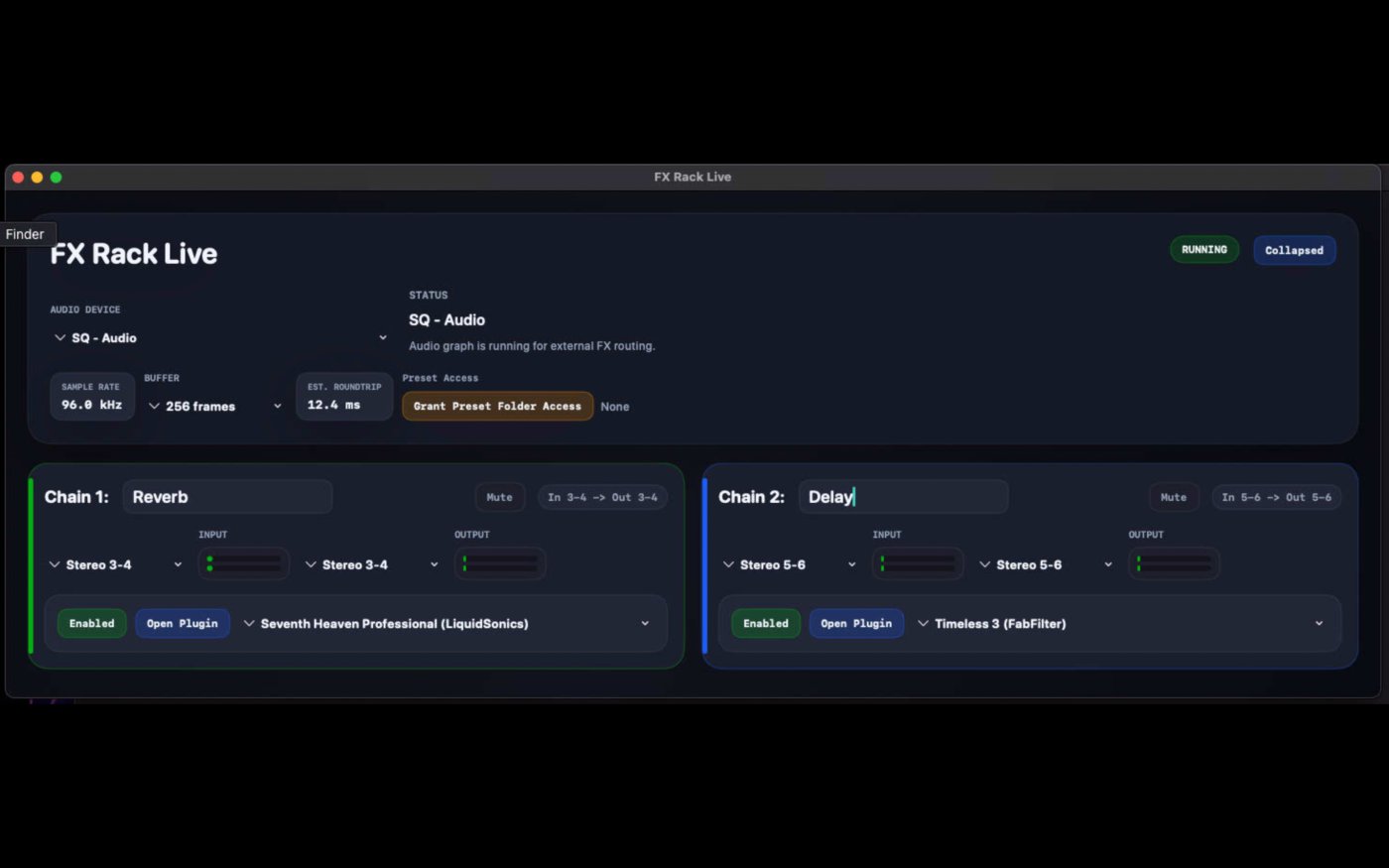
Compact mode leaves the chains you actually use visible while reducing empty controls and unused plug-in slots.
Before you buy
Requirements
- macOS 12.4 or later
- Intel or Apple silicon Mac
- A multichannel Core Audio device for mixer send/return routing
- Your own compatible Audio Unit effect plug-ins
- Latency and compatibility depend on the audio hardware, buffer setting and plug-ins
Frequently asked questions
Are Audio Unit plug-ins included?
No. FX Rack Live hosts compatible effects that are already installed on your Mac.
Does it replace a DAW?
No. It deliberately focuses on four live effect chains, routing and recall rather than recording, editing or sequencing.
What happens when my audio interface is disconnected?
The app keeps the selected-device choice and waits for that interface to return, helping prevent accidental routing to another device.
Can it launch with a fixed Mac mini rack?
Yes. Follow the auto-start and recovery guide before putting the system into service.
Build the rack once. Bring back the same routing next time.
FX Rack Live is available for €9.99 on the Mac App Store.